
How to make a long flight less boring.
A long flight can feel like a blank stretch of time: meals, movies, naps, and waiting. But the aircraft is also crossing cities, rivers, mountain ranges, coastlines, borders, and weather systems.
The simplest way to make a flight less boring is to treat the route as part of the trip. The view, the moving map, the airline Wi-Fi rules, and the places below can all become part of the entertainment.

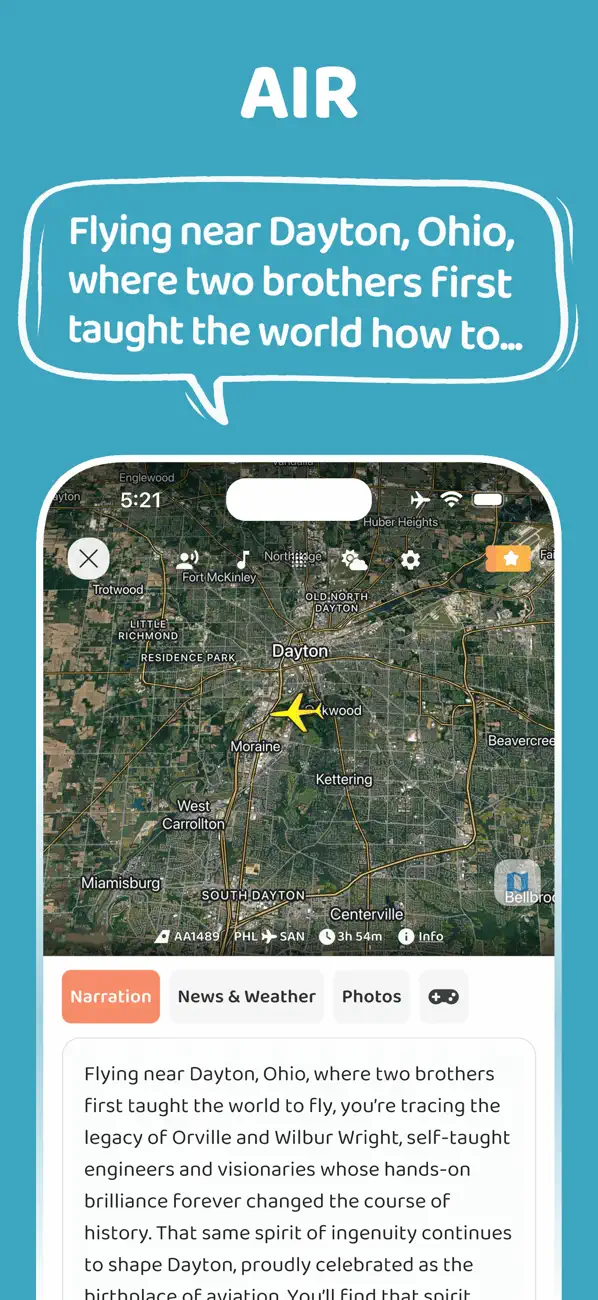
Turn the window into a live map
If you have a window seat, look for shapes instead of only scenery: river bends, city grids, coastlines, farms, roads, mountain shadows, and islands. Each one is a clue about the region below.
Even if you are not at the window, the moving map can help you follow the route and notice when the flight crosses places worth learning about. Flight-tracking services build this experience around aircraft position, routes, speed, altitude, and related data.
Use audio instead of more screen time
Movies and games help, but long flights often become tiring because every activity asks for more screen attention. Audio lets you rest your eyes while still learning something.
"Listened for two hours and really enjoyed it!"
lres_uws, App Store reviewer
Audio also fits the cabin environment. You can look outside, close your eyes, or keep the tray table clear while still following the story of the route.
Build a simple flight routine
- Save movies, books, maps, and podcasts before boarding.
- Charge your phone and headphones before the flight.
- Check whether the airline offers Wi-Fi on that aircraft.
- Use airplane mode and only connect to aircraft Wi-Fi if the airline provides it.
- Use the moving map during daylight portions of the route.
- Take short breaks to look outside and reset your attention.
FAA guidance allows expanded use of portable electronic devices, but phones should be in airplane mode, and Wi-Fi use depends on what the airline provides. That matters for any app that depends on live connectivity.
Give the route its own narration
JollyTango Flight mode turns the flight path into real-time audio stories. Instead of only watching a dot move across the airline map, you can hear context about places below the route.
It works best with an internet connection such as in-flight Wi-Fi, and it is especially useful on daylight routes, scenic approaches, mountain crossings, and long flights where you want the time to feel less empty.
Flight map, tracking, and Wi-Fi sources
Make your next flight more interesting.
Use JollyTango Flight mode to hear stories about cities, rivers, mountains, coastlines, and landmarks below your flight path.
Explore Flight mode