
Port approaches
Hear context about the harbor, nearby city, coastline, islands, and regional history before you go ashore.
JollyTango Cruise mode helps cruise and ferry passengers hear real-time stories about nearby ports, islands, coastlines, sea routes, vessels, weather, and regional history when internet access is available.


Passengers often treat a sea day as empty time because there is no obvious road or trail to follow. But the ship is still moving through a region with coastlines, islands, ports, shipping lanes, weather, geography, and human history.
Cruise mode is for those moments when you are looking from the deck, balcony, lounge, or ferry window and want to know more about what is nearby.
Cruise mode needs an internet connection, such as ship Wi-Fi or mobile data near shore. It is not a marine navigation, safety, schedule, or weather-alert tool.
"I like its audio narration. So much easier than having to read on screen!"
NewSt99J, App Store reviewer

Cruise mode works best when the route gives you something to notice: land on the horizon, a port approach, an island passage, a ferry crossing, or a coastline with visible towns and landmarks.
Hear context about the harbor, nearby city, coastline, islands, and regional history before you go ashore.
Learn what coastlines, channels, islands, or maritime regions are around the ship when they are close enough to matter.
Use the same audio-first style on ferry trips, bay crossings, and coastal routes where the view changes quickly.
Use official ship, port, marine weather, and emergency sources for operational decisions. Use JollyTango for stories and context.
Cruise connectivity varies by ship, route, package, weather, and network load. Prepare anything operational before you depend on an app at sea.
Confirm whether your cruise or ferry has Wi-Fi and whether the plan you buy supports the kind of app use you want.
Keep boarding documents, port instructions, excursion details, ship schedule, and saved map resources separate from JollyTango.
Weather, warnings, route changes, port rules, and emergencies belong to the cruise line, ship crew, port authorities, and official marine sources.
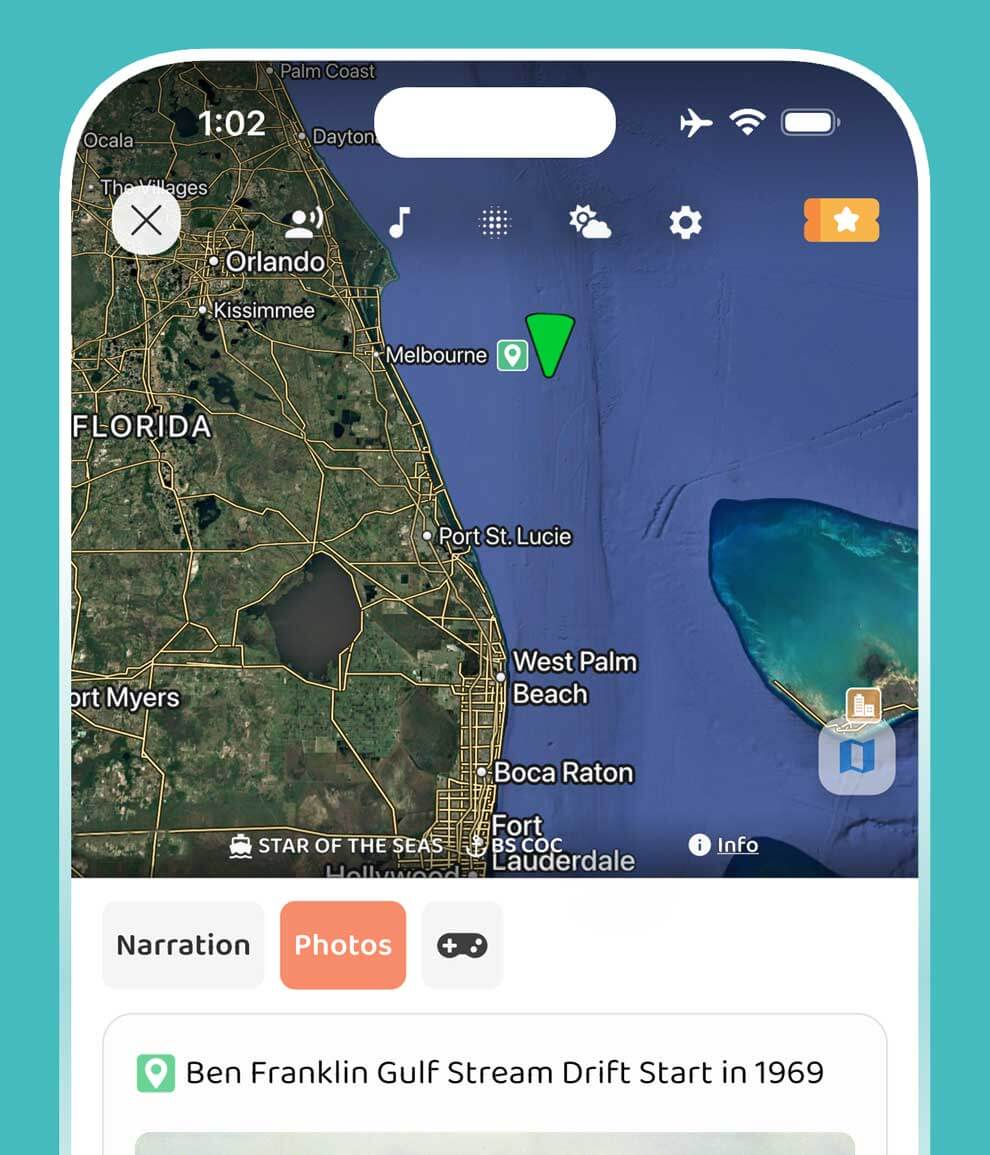
This sample shows how JollyTango can turn a cruise route into stories about the places and maritime context around the ship.
Yes. JollyTango Cruise mode can share real-time stories about ports, coastlines, islands, sea routes, vessels, weather, and regional history when internet access is available.
Yes. Cruise mode can share real-time stories about ports, coastlines, islands, sea days, ferry routes, nearby places, and maritime context when internet access is available.
Yes. JollyTango needs an internet connection, such as ship Wi-Fi or mobile data near shore, to stream real-time narration and related travel information.
No. Use your cruise line, ship crew, port authorities, NOAA/National Weather Service marine forecasts, and official emergency sources for safety, schedule, weather, and operational decisions.
Cruise audio is useful on daylight sea days, port approaches, ferry crossings, coastal sailings, island routes, and moments when passengers can see land, vessels, or changing geography from the ship.
Download JollyTango before your cruise or ferry trip, then use Cruise mode when internet is available.